 button on
side toolbar. A panel will slide from
the left to show you the Thumbnail View.
button on
side toolbar. A panel will slide from
the left to show you the Thumbnail View.
To browse the whole FlipBook
by thumbnails, please click on the "Thumbnail View" button on
side toolbar. A panel will slide from
the left to show you the Thumbnail View.
You can see the page number at the bottom-left corner of the panel. Click on the thumbnail and directly jump to the page. (Figure 1)
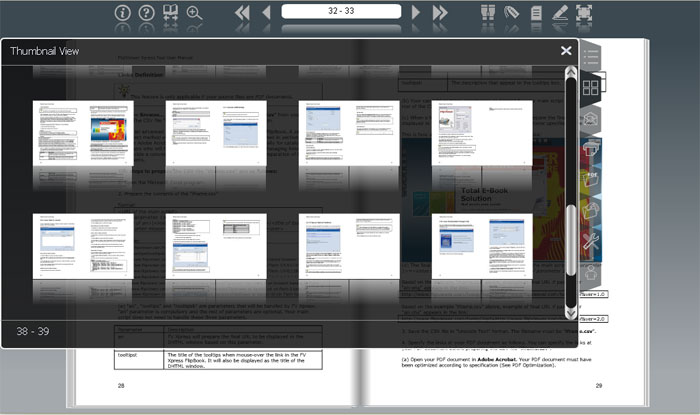
Figure 1. Thumbnail View panel
To close the "Thumbnail View" panel, please click
on the "Close" button  at the upper-right corner
of the panel.
at the upper-right corner
of the panel.